


Unlike the MacBook Pro, it is not possible to replace the SSD for a larger one in a MacBook Air afterward. Therefore, when purchasing, it is wise to choose a larger storage capacity. However, with a refurbished MacBook Air, you often do not have this choice. Fortunately, there is a simple trick to still increase the internal storage, namely by using an SD card.
iUsed Store can supply the refurbished MacBook Air 13-inch with the JetDrive 128GB. Since this SD card fits perfectly into the slot of the MacBook, everything is neatly concealed, and you don't have to sacrifice a USB port. The JetDrive SD card is also available with 256GB of storage. However, the MacBook Air 11-inch does not come with an SD card reader. For this model, you can resolve this by connecting a USB-to-SD card reader.
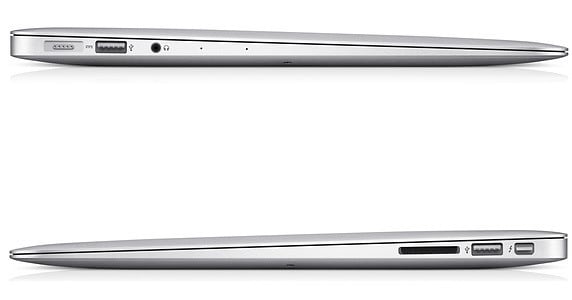
If you still find yourself short on storage, you can consider external hard drives. The older versions were always very large, bulky, and often required two USB connections: one for data transfer and the other to supply power. Fortunately, these storage media have become much smaller and more convenient, requiring only a single USB connection.
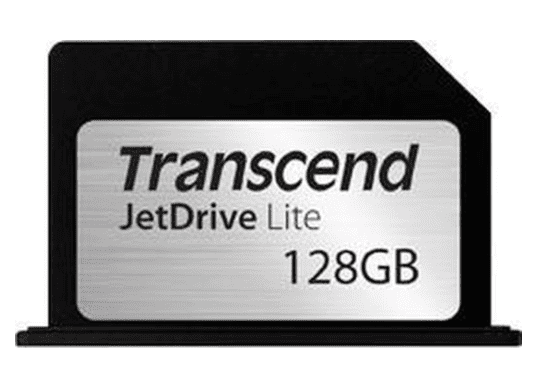
Of course, this doesn't only apply to the MacBook Air, the MacBook Pro can also easily be expanded with these items. A MacBook Pro comes standard with an SD card reader.
At iUsed Store, we have a wide selection of MacBook Air and MacBook Pro available. All refurbished Macs are in stock and come with free shipping and a 2-year warranty.
iUsed Store can supply the refurbished MacBook Air 13-inch with the JetDrive 128GB. Since this SD card fits perfectly into the slot of the MacBook, everything is neatly concealed, and you don't have to sacrifice a USB port. The JetDrive SD card is also available with 256GB of storage. However, the MacBook Air 11-inch does not come with an SD card reader. For this model, you can resolve this by connecting a USB-to-SD card reader.
If you still find yourself short on storage, you can consider external hard drives. The older versions were always very large, bulky, and often required two USB connections: one for data transfer and the other to supply power. Fortunately, these storage media have become much smaller and more convenient, requiring only a single USB connection.
Of course, this doesn't only apply to the MacBook Air, the MacBook Pro can also easily be expanded with these items. A MacBook Pro comes standard with an SD card reader.
At iUsed Store, we have a wide selection of MacBook Air and MacBook Pro available. All refurbished Macs are in stock and come with free shipping and a 2-year warranty.